Thirty seconds, then the FAQ list
Mouse stuck in the corner
The Support FAQ groups a black screen and a cursor stuck in the corner in section 2.7. A second monitor that flashes is not given its own official cause. The Reddit reports previously cited for display flicker returned HTTP 403 on 28 October 2026; they are not current, independently verified causes.
I listed the FAQ steps in the order the page gives them, then I stopped. I will not tell you the second monitor is “always the GPU.” The research pass could not find an official multi-monitor article. If you have two screens, try the same steps and say so when you ask for help.
Try this first
Alt+Enter toggles fullscreen; Ctrl+O opens D2GL settings, where you can change display mode. Try Alt+Enter once before resetting files. If the cursor frees itself, stay on the display page and pick a resolution slowly.
If it is still stuck
Section 2.7 of the FAQ is the list. I am not adding tools the page does not name.
- Quit overlay and capture tools the FAQ names: GeForce Experience, AMD panels, GPU Tweak, MSI Afterburner, OBS.
- Close the game, then back up or rename UI.ini inside ProjectD2 before resetting it.
- Turn HD Cursor off.
- Start a game under ddraw, then switch back to 3dfx.
- Toggle windowed mode, then return to fullscreen.
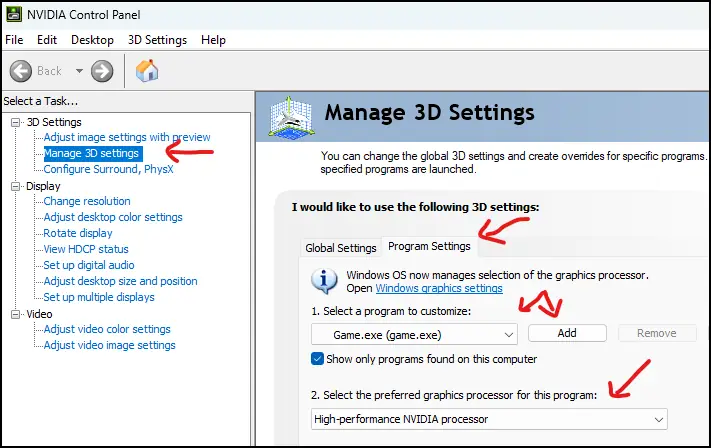
- Change the resolution, and force the game onto the GPU you intend. The Nvidia program override screenshot is on the FAQ.
Slow mouse, and flicker
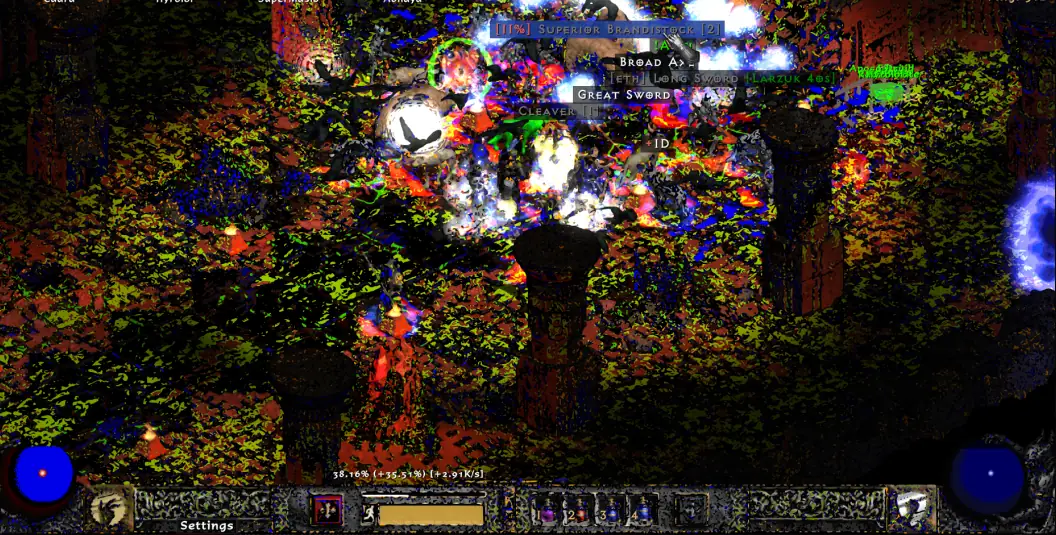
If the cursor moves and is only slow under 3dfx, section 2.6 says to disable FXAA and HD Cursor, disable V-Sync, and raise DPI in your mouse software. FXAA’s look is the color chart on this page.
A community thread says 3dfx flicker with a normal ddraw image cleared after Alt+Enter. Another says a laptop flashed after Alt-Tab and points at Fn lock and refresh rate. I am not confirming a root cause for “second monitor flashing.” Try the FAQ list, then those two threads.
Watch
Sven Nord walks through a legal Diablo II plus Lord of Destruction install and the PD2 launcher. Upload date (YouTube metadata, single source): 2023-12-19. How To Install Project Diablo 2 in 2024 on YouTube. The player loads only after you press play.
Questions
Is the corner bug a dual-monitor bug?
The FAQ does not say that. It lists overlays, UI.ini, the renderer toggle, and windowed mode. Dual-monitor flashing is a community report without an official cause.
What is the 30-second test?
Alt+Enter. If the cursor releases, display mode is a useful troubleshooting lead; it does not establish a root cause. If it does not, use the section 2.7 list.
Related
Sources
Checked: 2026-10-28. Single-source claims are attributed; disagreements stay visible.
- Wiki Support FAQ — 2026-10-28 — Fetched 2026-10-28. Single official-wiki source for specific troubleshooting steps unless another source is explicitly identified. Steps were not tested in the client.
- Reddit 3dfx flicker thread — 2026-10-28
- Reddit Alt-Tab flicker thread — 2026-10-28