Fix the thing in front of you
Troubleshooting and settings
The Support FAQ is a long page. These guides split it by the sentence you would type into a search box. Start with the symptom. Do not reinstall until the matching page says the files are the problem.
I indexed the FAQ by the searches that are not “how to install”: chat, mouse, updater, login, sound, and the window. Install failures stay on the install page. If two pages could own a bug, I linked them instead of repeating a half answer.
In this topic
Pick the symptom
Each row is a page with the command or the Windows setting, plus the source.
| You see | Open |
|---|---|
| Global chat covers the screen | Disable global chat |
| Cursor stuck in a corner, or a second monitor flashes | Mouse and monitor |
| Launcher sits on Updating | Updater |
| Login error, or friends say the realm is down | Login and status |
| No sound | Sound |
| Windowed mode or the wrong resolution | Display |
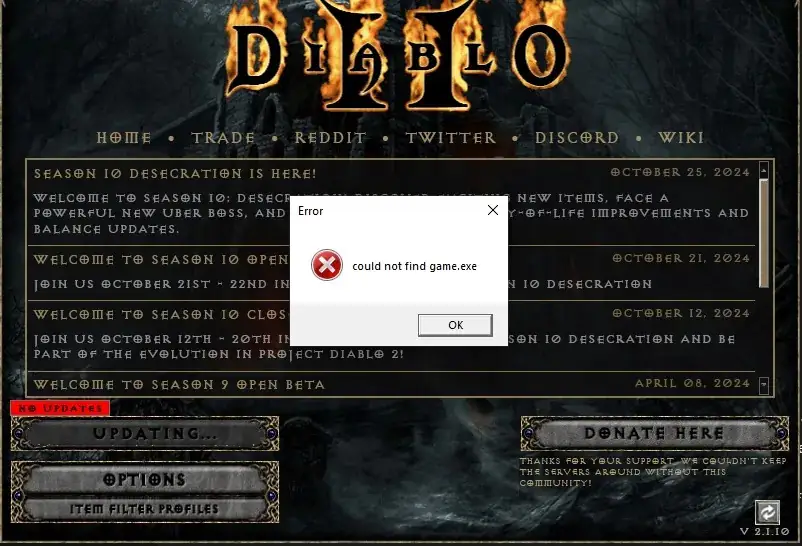
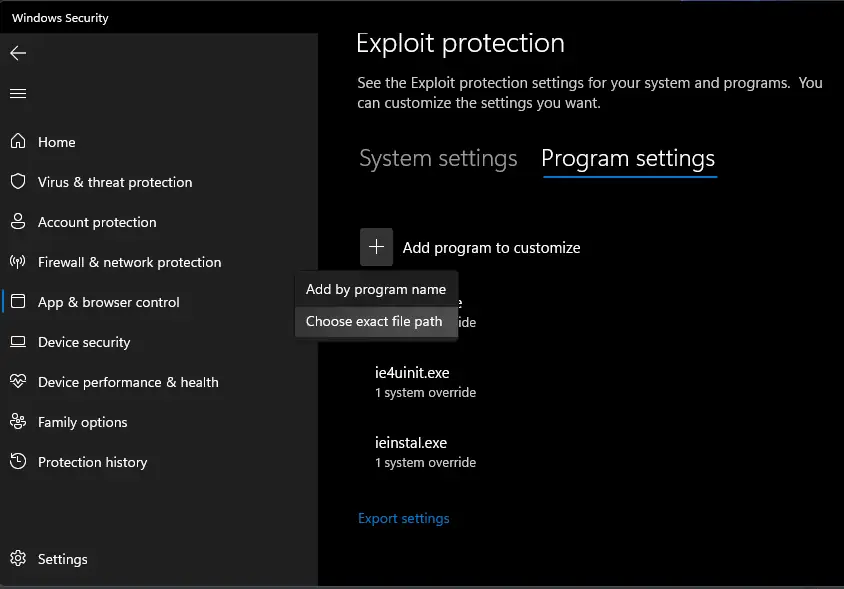
Watch
Sven Nord walks through a legal Diablo II plus Lord of Destruction install and the PD2 launcher. Upload date (YouTube metadata, single source): 2023-12-19. How To Install Project Diablo 2 in 2024 on YouTube. The player loads only after you press play.
Questions
Should I turn off antivirus?
The FAQ says to exclude the Diablo II folder, not to disable the whole product. The install page quotes that advice.
Where is the server status page?
There isn’t a public status API in the sources I checked. Login errors point at Discord announcements instead of a fake uptime number.
Related
Sources
Checked: 2026-10-28. Single-source claims are attributed; disagreements stay visible.
- Wiki Support FAQ — 2026-10-28 — Fetched 2026-10-28. Single official-wiki source for specific troubleshooting steps unless another source is explicitly identified. Steps were not tested in the client.
- Official download page — 2026-10-28 — Fetched 2026-10-28. One official source family with the FAQ and rules. No launcher version or file size stated; D2R exclusion is explicit in the FAQ.